PhiStruct

Build. Lock. Take it with you.

Build real geometry with your hands.

Tap a hole, place a strut. Struts never pass through each other — so if it builds in the app, it builds on your desk.

  • Collision-proof
  • Fully offline
  • One-time purchase
  • No account, no ads

Download on the App Store

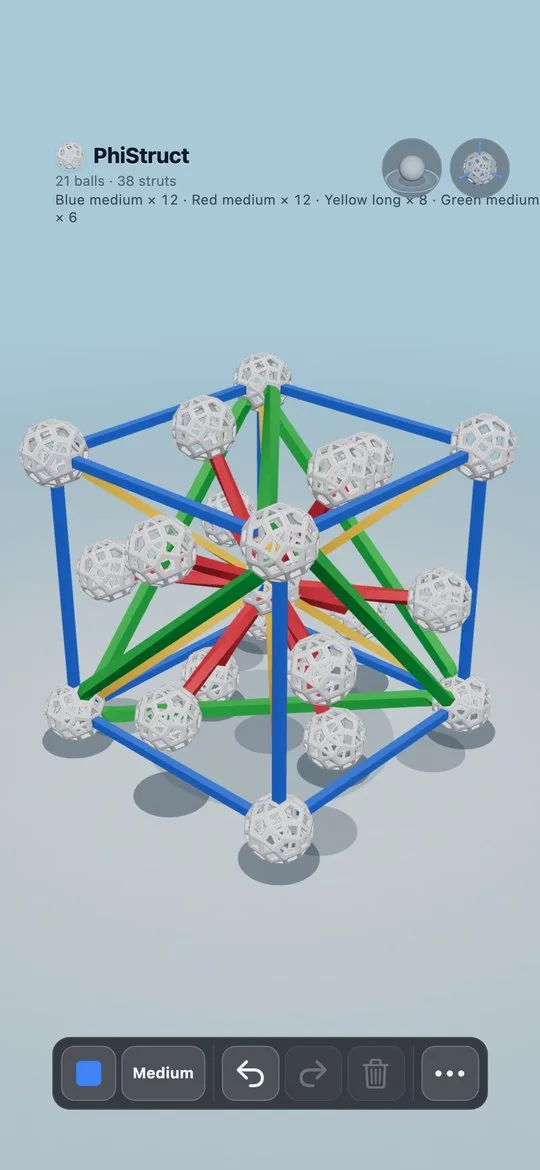
Rainbow Core model — blue, green, yellow, and red struts
Guided build with the next hole highlighted

How it works

1

Tap a hole, place a strut

Start from a single ball and build up. Ghost pegs show exactly where the next strut can lock.

2

Guided builds or freehand

Step through 66 curated polyhedra hole-by-hole, or free build against a translucent reference ghost.

3

Take it with you

Export PNG, full-color GLB, or print-ready STL. Parts list included — colors, lengths, counts.

Empty connector ball with glowing holes ready for the first strut
Construct from a single node
Model Library showing Quasicrystal Star
66 polyhedra to construct
Strut color picker over an icosahedron
Direction and length before each edge
Guided cuboctahedron build in green
Guided polyhedron construction
Free build with a translucent reference ghost
Freehand build against a ghost solid
Export sheet for PNG, GLB, and STL
Export for print or Blender

Watch a guided build

Icosahedron — step through every strut, hole by hole.

Offline, one-time purchase, no account.

No ads, no subscriptions, no tracking. Your projects stay on your device.

Download on the App Store